


Dinolingo Kids Learn Languages
3.490.00 Reviews
App Specs
- Version
- 4.1.8
- Updated On
- License
- Free
- Downloads
- 100,000+
- Developer
- Dino Lingo
- Categories
- Educational
- Platform
- Android
Screenshots
 Analysis by AppCompare
When I judge a children’s language game, I look beyond bright pictures: does a child have a simple reason to return, and can a parent tell whether play is turning into learning? Dinolingo Kids Learn Languages aims to make that early routine approachable, with lessons presented through child-friendly activities rather than a formal study course. I’d consider it for short, shared sessions at home, especially when a child is curious about a language but not ready for worksheets or long explanations.
Small goals work best when they feel manageable
For a first session, I wouldn’t ask a child to “learn Spanish” in any broad sense. I’d pick one small theme—perhaps a few familiar words—and stay with it long enough to hear, see, and repeat them. That gives the child a near-term goal they can understand, while keeping the activity from feeling like a test. The app’s mix of videos, games, songs, and stories gives a parent several ways to revisit language without turning every session into the same exercise.
A useful routine is to let the child choose between two activities, then finish by asking them to point out or say one word they remember. This makes the choice itself part of the motivation and gives you a quick, low-pressure check on attention. I’d keep sessions brief if a child starts tapping through quickly; continuing just to complete more content can make the app feel like screen time to get through rather than a playful language habit.
Look for recall, not just taps
Stickers and badges can make progress visible to a young learner, but they are not the same thing as remembering a word later. I’d treat them as encouragement, then look for a more meaningful signal away from the screen: does your child recognize a word in a picture, repeat it at breakfast, or connect it to something in a story? Those small moments are a better guide to whether a lesson has stuck than a reward alone.
Parents can use the progress tracking to see which areas a child has spent time on and where another pass might help. My practical tip is to revisit one familiar activity before opening a new one. If the child can still follow along, move on; if not, replaying a song or story gives them another chance to hear the same language in context. This avoids treating progress as a race through a menu.
A gentle pace suits beginners, with limits
The playful format is a better fit for a child who needs variety and encouragement than for one who wants explicit explanations of grammar or a structured path toward reading and writing. The games can support basic vocabulary and pronunciation practice, but I wouldn’t use them as a substitute for conversation with a fluent speaker or a class that offers direct feedback. A parent can make the learning more grounded by repeating a phrase together and using it in a real moment, such as naming a toy or greeting someone.
There is also a trade-off in having several activity types: variety can help hold a child’s interest, but it can make a session feel scattered if the adult doesn’t help connect them. I’d choose a simple thread for the day—one topic, a song, then a related game—rather than moving randomly between every option. That small bit of guidance can make the content feel like a lesson without taking away its playful tone.
Worth Reading Before You Choose

EA SPORTS FC Mobile 26 Is a Bigger Football Game, but It Takes Time

Flipboard Shows What News Apps Must Do Beyond the Feed

Switching to Android Auto Means Rethinking Your Driving Routine

Google Calendar Makes a Crowded Week Easier to Manage

Ludo King Makes the Most of the Minutes Between Plans

Baby Panda World Brings Quick Play to Modern Phones, but Its Game Library Feels Busy
Who will get the most from it
I see the strongest fit for families introducing a new language at home, children who enjoy visual and audio activities, and parents looking for a shared alternative to passive video watching. It can also work as a light supplement for a child already encountering Spanish or French elsewhere. A realistic use case is a short activity while a parent prepares dinner: the child watches or plays nearby, then the adult asks about one word afterward. That follow-up turns an isolated screen activity into a small conversation.
I’d skip it if the goal is independent, full-scale language instruction, detailed grammar study, or a guaranteed way to keep a child learning without adult involvement. Younger children may need help choosing activities and following prompts, while older learners may outgrow the game-like approach. If your child is reluctant to repeat words or prefers building, drawing, or talking with another person, an offline activity or a live class may be a better starting point.
How it compares with familiar alternatives
Compared with flashcard apps, Dinolingo’s appeal is the broader mix of songs, stories, videos, and games; flashcards can be quicker for focused review, but may feel repetitive to a young child. Compared with general video platforms, a language-learning game gives the activity a clearer educational purpose, though watching a video by itself still offers less opportunity to check what a child understood. Neither format replaces real conversation, so I’d use this app as one part of a child’s language exposure rather than the whole plan.
One practical trade-off is that a child may follow a lively activity without being ready to produce the words themselves. I’d pause after a song or story and invite a response, without insisting on perfect pronunciation. If the child is tired or stops engaging, I’d end the session rather than using rewards to push through. That keeps motivation tied to curiosity, not only to collecting things on screen.
Progress is strongest when a small in-app goal leads to a real-world moment. A word heard in a song can be repeated over breakfast; a picture in a game can prompt a question about the same object at home. These links are simple, but they help a child see that language belongs outside the app too. They also give parents a way to judge value without relying only on how long a child stays occupied.
Getting Started with Dinolingo
First things first, downloading and setting up Dinolingo Kids Learn Languages is a breeze. Available on both Android and iOS, you can snag it from your app store of choice. Once installed, you’re greeted with a fun, colorful interface that feels welcoming and engaging. The app is specifically designed for children, so the layout is intuitive and easy to navigate. Trust me, even if you're not tech-savvy, you'll get the hang of it in no time.
Engaging Language Lessons
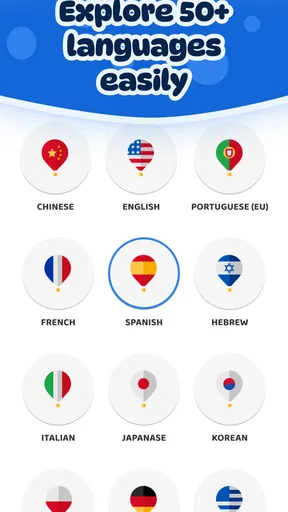
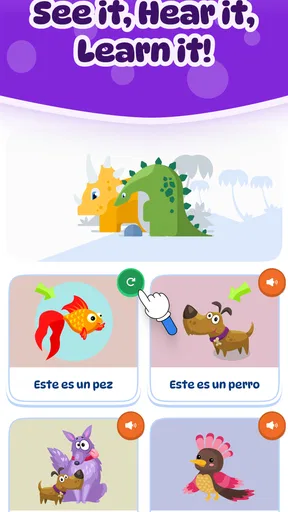
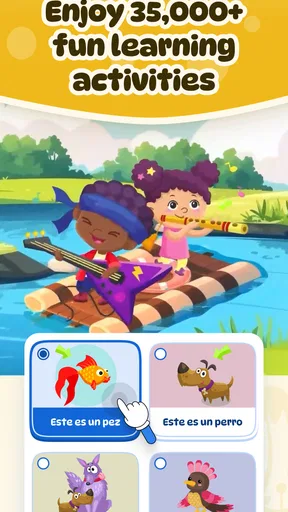
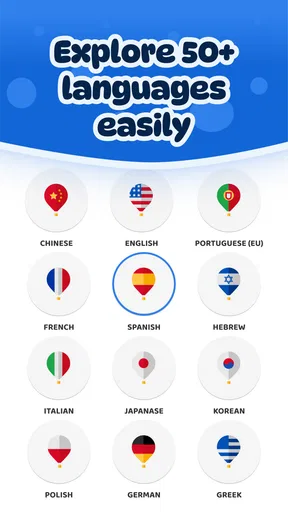
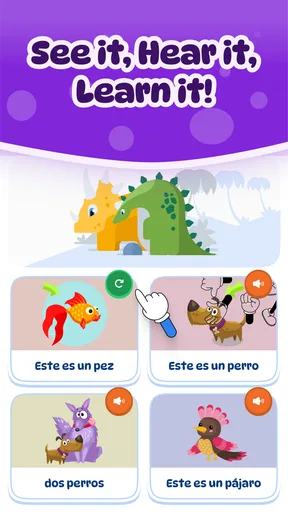
The heart of Dinolingo lies in its language lessons. You can choose from a plethora of languages like Spanish, French, Italian, and more. What’s super cool is how each lesson is structured. They incorporate a mix of videos, interactive games, songs, and stories. These aren't your typical boring lessons. Their approach is all about making learning fun and interactive, which is perfect for keeping kids engaged. If you're looking for something to keep your little linguist entertained, this is it.
Interactive Games and Activities
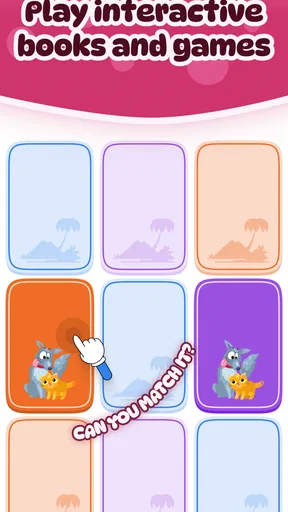
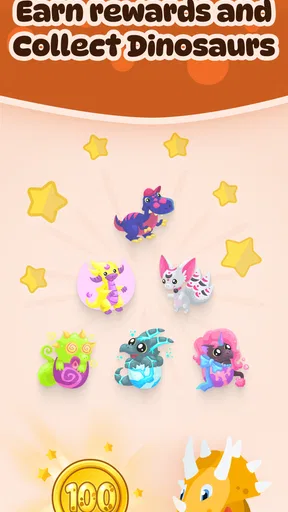
Let's talk games! Dinolingo features a variety of games that focus on different aspects of language learning. Whether it's vocabulary building or pronunciation practice, there's a game for that. The games are simple yet effective. They’re designed to reinforce what the kids have learned in a playful way. Plus, the app rewards kids with cute stickers and badges as they progress, which is a fantastic motivator.
Stories and Songs
Who doesn’t love a good story? Dinolingo includes a rich collection of stories and songs in each language. The stories are narrated with vibrant illustrations, making them visually appealing and easy to follow. As for the songs, they’re catchy and repetitive, helping kids memorize new words and phrases. I found myself humming along more than once, so don’t be surprised if you do too!
Parental Controls and Progress Tracking
For parents, Dinolingo offers some neat features. You can set usage limits and track your child’s progress through the app. This is handy for monitoring how much time your kid spends learning and which areas they excel in or might need a bit more practice. It’s all about making sure the learning experience is both effective and balanced.
Challenges and Considerations
While Dinolingo is a fantastic tool, it's not without its challenges. One thing I noticed is that some of the advanced features require a subscription. While the free content is generous, unlocking the full potential of the app does come at a cost. It's something to think about if you're on a budget. However, the investment can be well worth it, considering the quality and range of content available.
Another consideration is the need for parent involvement. While the app is designed for kids, younger children might need some guidance navigating through different sections or understanding certain tasks. It can be a great opportunity for some parent-child bonding time, though!
Rewards, cost, and the reason to return
Rewards are most useful when they mark effort rather than become the whole goal. If a child starts asking only for the next sticker, I’d bring the focus back to choosing a song or recognizing a word. The game’s playful progress cues can help a beginner get started, but a parent’s response is what connects that cue to learning: notice the attempt, repeat the word naturally, and let the activity end on a positive note.
The game is free to try, while in-app purchases range from $9.99 to $199.99 per item. That is a wide spread, so I’d explore what is available at no cost before deciding whether a paid option suits your family. The practical question is not whether more content exists, but whether your child returns to the learning routine often enough to make paying worthwhile. I would avoid buying simply because a child has enjoyed one session; a few short visits give a better sense of whether the format fits.
Dinolingo is developed by Dino Lingo, and its educational focus is clear. It is rated for Everyone, has an average rating of 3.5 from 553 ratings, and has been installed over 100,000 times. Those figures offer a little context, not a verdict: what matters most is whether your child responds to the particular combination of guided activities and playful rewards. The current version is 4.1.5, and it requires Android 8.0 or later.
What parents should expect from a session
A common question is whether a child can use it entirely alone. In my view, that depends on the child’s age, confidence with a device, and patience with prompts. The child-friendly design helps, but it does not remove the value of an adult nearby, especially at the start. I’d sit together for the first few sessions, show how to move between activities, and then gradually give the child more room if they can navigate comfortably.
Another sensible question is whether this is enough to make a child conversational. I would not set that expectation. Repeated exposure to words, songs, and stories can make a new language feel familiar, but speaking comfortably takes interaction beyond a game. Use the app to spark recognition and curiosity, then add ordinary conversation, books, or instruction when those are available and appropriate for your child.
For families deciding between a free option and a subscription, I’d make the choice only after observing what the child actually uses. A child who repeatedly returns to stories may benefit more from that kind of content than from a wider set of activities they rarely open. Conversely, if the free experience quickly runs out of appeal, paying is not automatically the answer; a library book, a conversation with a relative, or a class may offer a better match. The right choice depends on whether the app supports a habit your family can realistically maintain.
Final Thoughts
So, there you have it! Dinolingo Kids Learn Languages is a vibrant and engaging app that can make language learning a fun adventure for kids. If you’re looking for a way to introduce your little ones to new languages, this app is definitely worth checking out. It combines education and entertainment seamlessly, making it a top pick in my book. Give it a try, and who knows, you might end up learning a thing or two yourself!
Pros
- Engaging and interactive language lessons.
- Wide variety of languages available.
- Colorful and child-friendly interface.
- Progress tracking for parents.
- No ads
- ensuring a safe experience.
Cons
- Limited offline functionality.
- Some languages have fewer resources.
- Requires subscription for full access.
- May not suit older children.
- Occasional app performance issues.
FAQs for Dinolingo Kids Learn Languages
What age group is Dinolingo Kids Learn Languages suitable for?
Dinolingo Kids Learn Languages is designed for children aged 2 to 12. The app offers age-appropriate content and activities that cater to different developmental stages. Its engaging interface and interactive lessons make it a fun learning experience for younger children, while older kids can benefit from more advanced vocabulary and grammar exercises.
How many languages can my child learn with Dinolingo?
Dinolingo offers a wide range of languages, allowing children to learn from over 50 different options. Popular choices include Spanish, French, Mandarin, German, and Italian. Each language program is structured with various activities, songs, and games to help kids grasp basic vocabulary, phrases, and pronunciation effectively.
Is an internet connection required to use Dinolingo?
An internet connection is initially required to download the app and any language content. However, once the lessons and activities are downloaded, children can access them offline. This feature is particularly useful for parents who want to limit screen time or use the app in areas without internet connectivity.
Are there any in-app purchases or subscriptions needed for Dinolingo?
Dinolingo operates on a subscription model, offering different plans to suit various needs. While the app provides some free content, unlocking full access to all language courses and features requires a subscription. Parents should review the pricing options and choose a plan that fits their budget and educational goals for their child.
What teaching methods does Dinolingo use to ensure effective learning?
Dinolingo employs a combination of visual, auditory, and kinesthetic learning methods to engage children. The app uses videos, interactive games, songs, and storytelling to make language learning enjoyable and effective. This multi-sensory approach helps reinforce memory retention and keeps children motivated to continue their language studies.


